Clinical tools and workflow
Therapy notes and practice tools for your working day
Desktop therapy notes software for Windows and Mac, with Free Text, SOAP and DAP notes, assessments, goals, resources and practice finance. Scribe Premium and Elite include built-in on-device dictation. Tools depend on your selected plan; the clinical judgement remains yours.
← Explore ProvenTherapyDesigned around how therapists actually work.
Every step in ProvenTherapy follows the natural arc of clinical practice — from first contact to session notes, reflection, goals, outcomes, resources, and finances.
Dashboard
Start with Today's appointments, Find a client, Add a client, and Notes to finish. Scrolling lists keep longer days manageable, discharged clients are clearly labelled, and follow-ups open the relevant records.
New Client Intake
Add contact details, referral information and initial clinical notes. Record decisions already discussed or send a client consent choices form from Client Consent Choices & Records. Optional choices remain separate from agreement to therapy.
Client Hub
The therapist's orientation page for each client. A clear clinical overview with key dates, active goals, assessments, fees, attachments, and workflow access. Open retained sent-email content, with ten records per page in email lists.
Appointments & Timeline
Book with a date, time and appointment type, then record attendance and payment after the session. Select an appointment to open its notes, or create a receipt PDF from the saved record.
Session Workspace
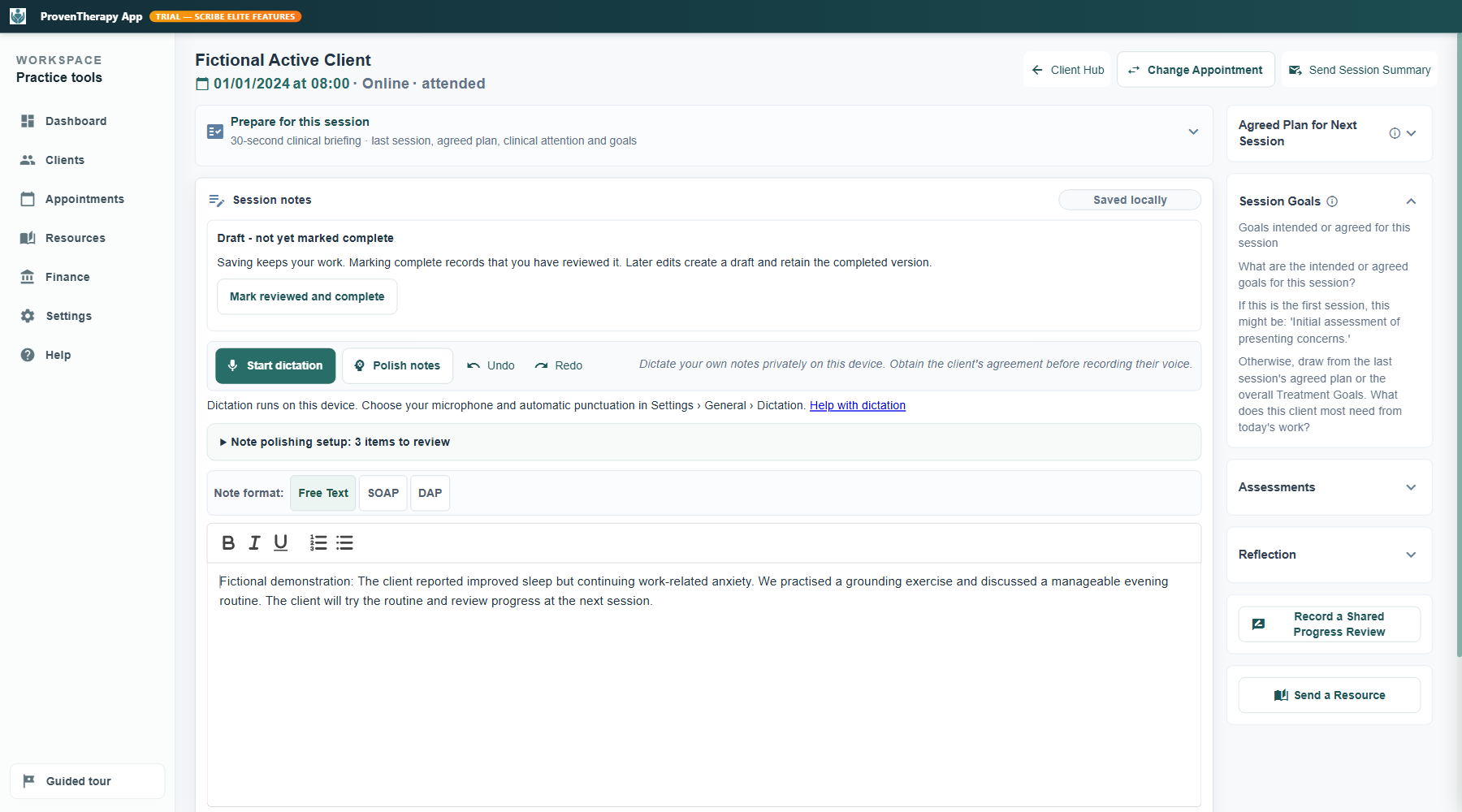
Prepare for the session, write or dictate notes, review optional AI polishing, and keep the plan and goals together. Use Free Text, SOAP or DAP, compare polished notes with the retained original, and restore it after reopening. Mark notes reviewed and complete when you are ready; later edits retain the completed version.
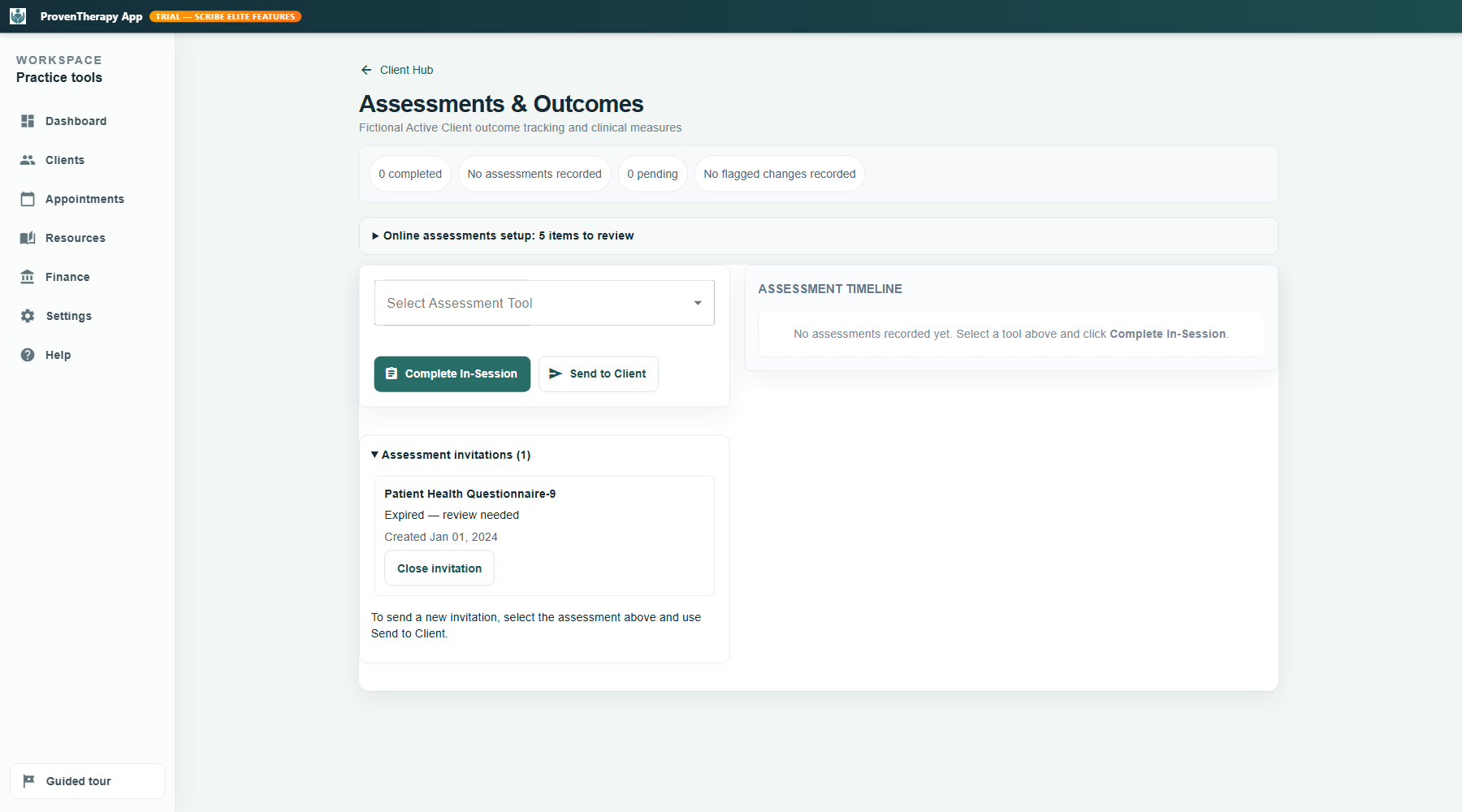
Assessments & Outcomes
Standardised screening and outcome measures — including PHQ-9, GAD-7, DASS-21 and CORE-10 — with automated scoring, progress tracking and clinical alerts. These support, but do not replace, professional assessment. If a client declines a questionnaire, close the invitation with a recorded reason and remove it from active follow-ups.
Treatment Plan & Goals
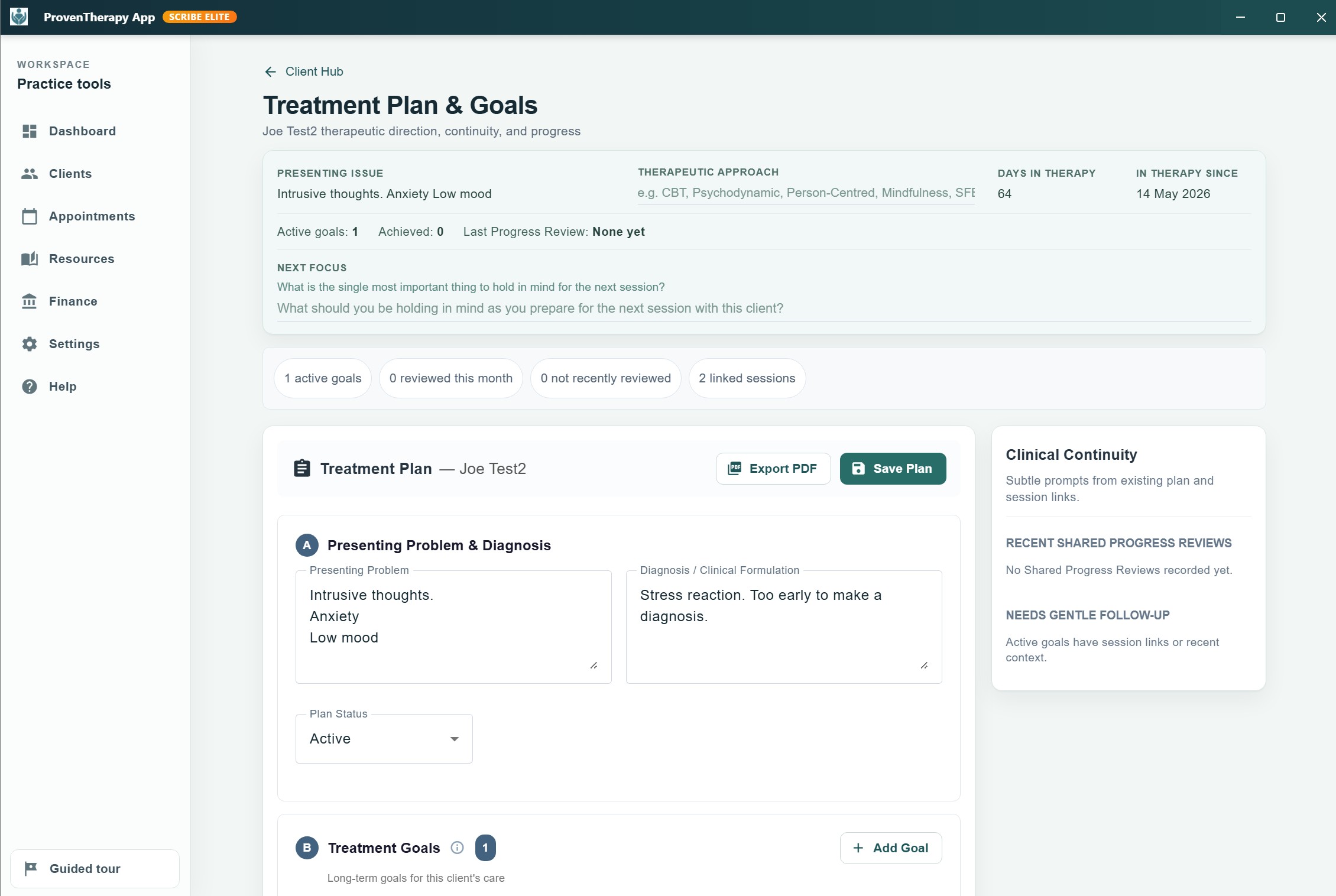
Structured goals, reviews, session links, continuity prompts, and clinical planning — held together across the therapeutic relationship.
Resources & Programmes
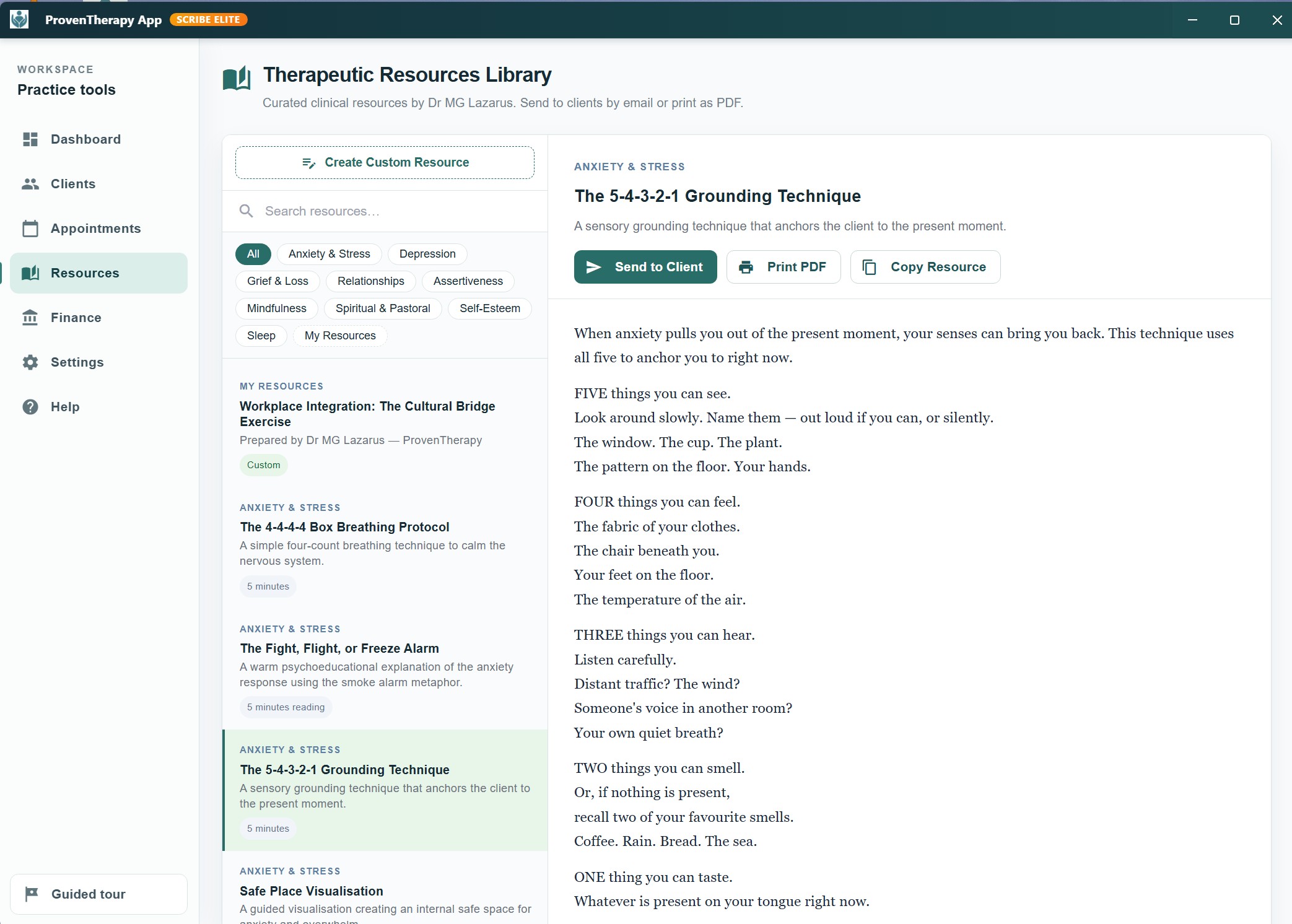
Therapeutic resources and structured programmes that can support continuity and engagement between sessions. Available resources reflect your professional profile settings.
One clear orientation page for every client.
The therapist's home base for each client — key dates, active goals, assessments, fees, and attachments in one calm overview, with one-click access into the Session Workspace.
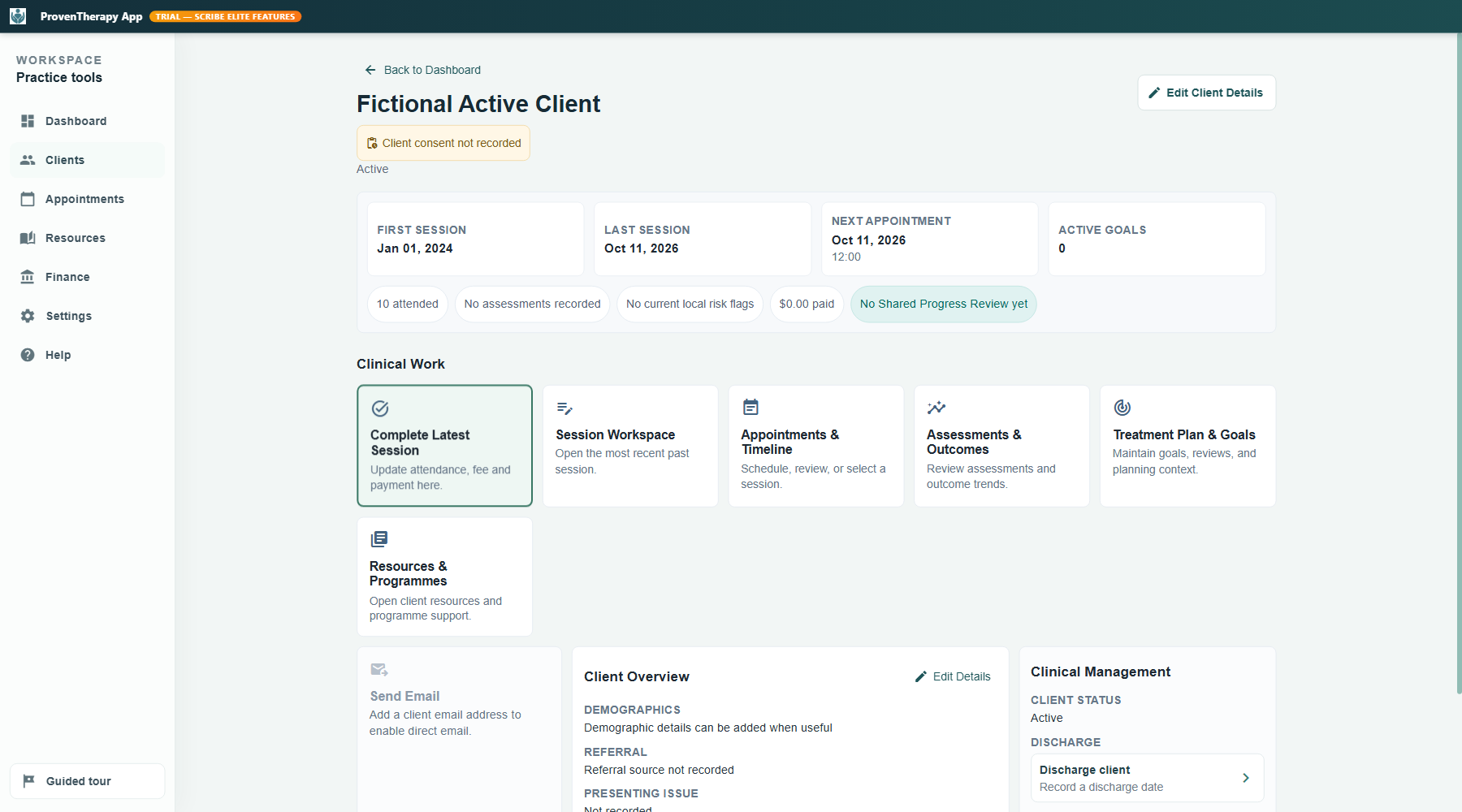
Client Hub — key dates, active goals, assessments, fees, attachments, and direct access to the Session Workspace.
A longitudinal view of every client's journey.
Create appointments, track attendance, and open any session directly into the focused workspace — all within a clear, scrollable timeline that holds the full clinical history.
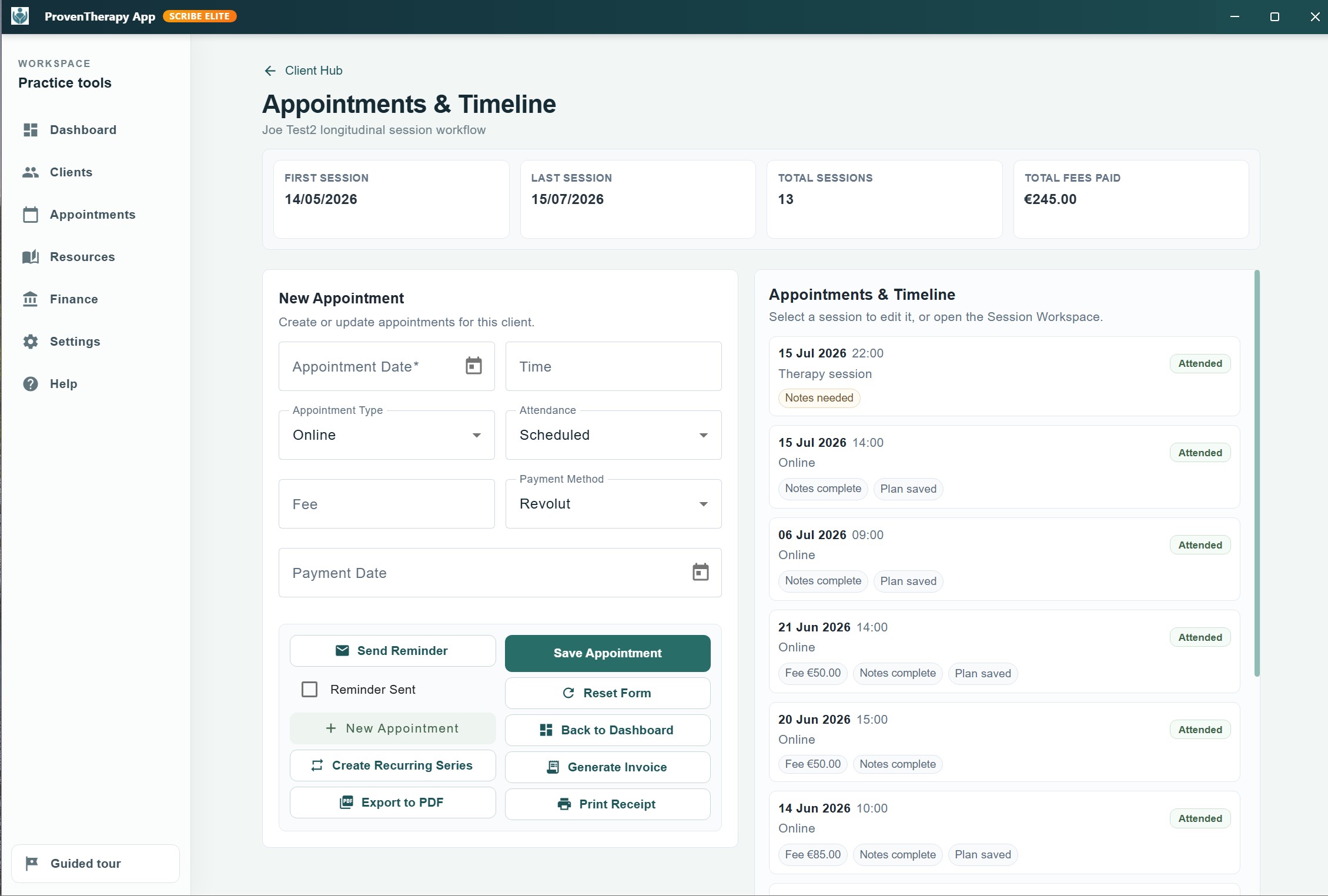
Appointments & Timeline — session history, new appointment form, and direct access to the Session Workspace.
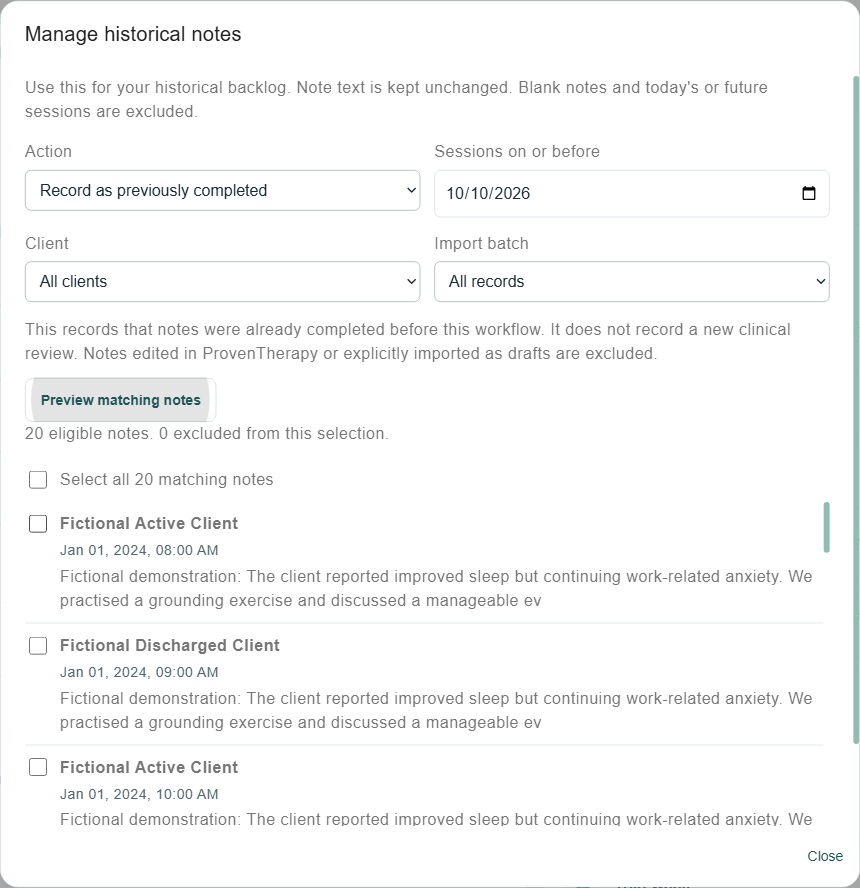
Bring your history without thousands of extra clicks.
Guided Import lets you map session notes and source completion information alongside appointment records. Preview eligible historical notes, choose a date or client, and record their previous completion in a batch. Notes remain unchanged, and explicitly unfinished records stay available for review.
Previously completed is distinct from a new clinical review. Batch actions require your confirmation and can be undone for records that have not subsequently changed. Plan the move with support using your source file and fields, including separate handling for attachments or assessment history where needed.
A calm, coherent workspace from session to practice overview.
The same visual language follows the therapist through documentation, planning, resources, finances, protection and guidance.
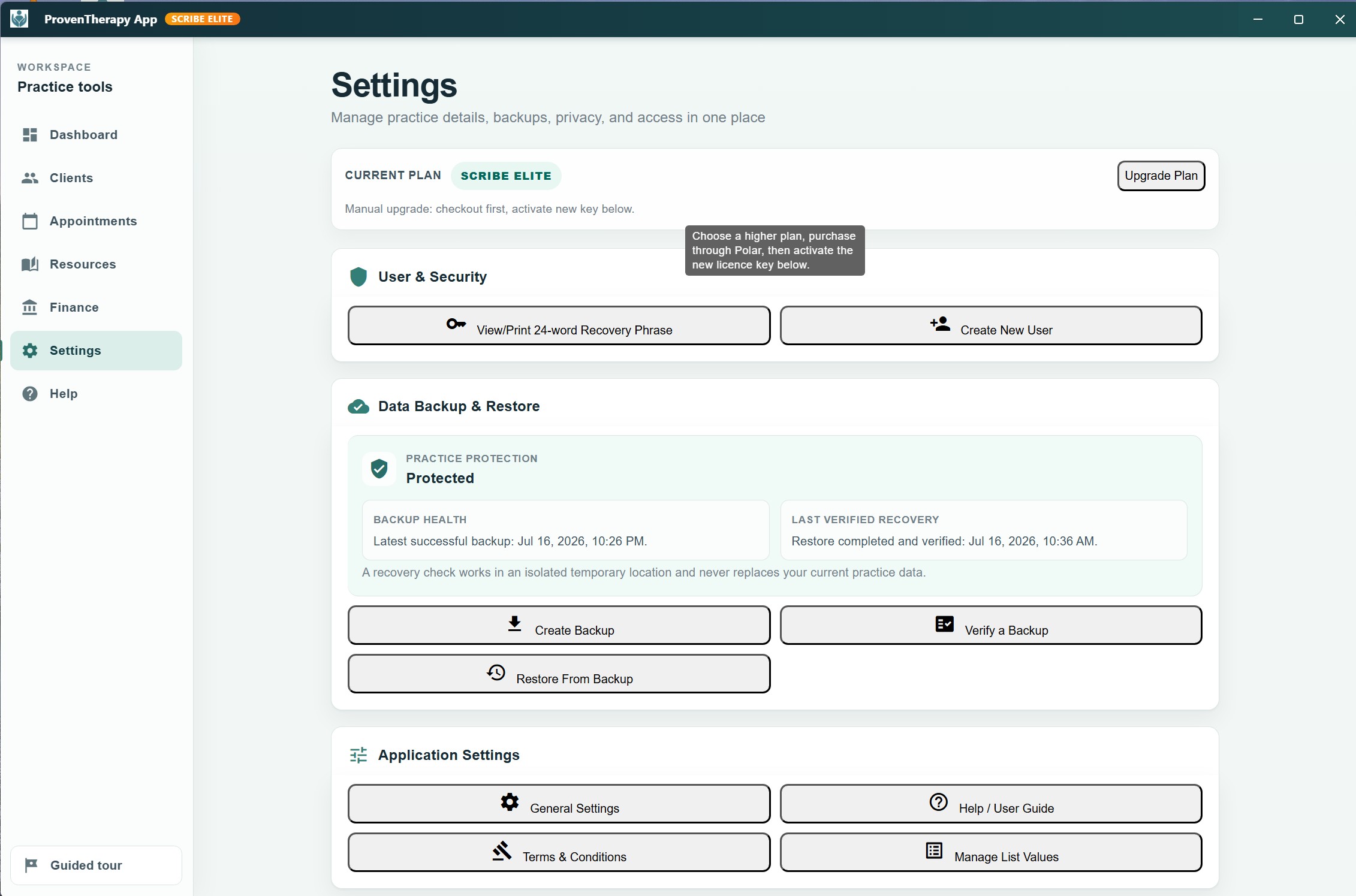
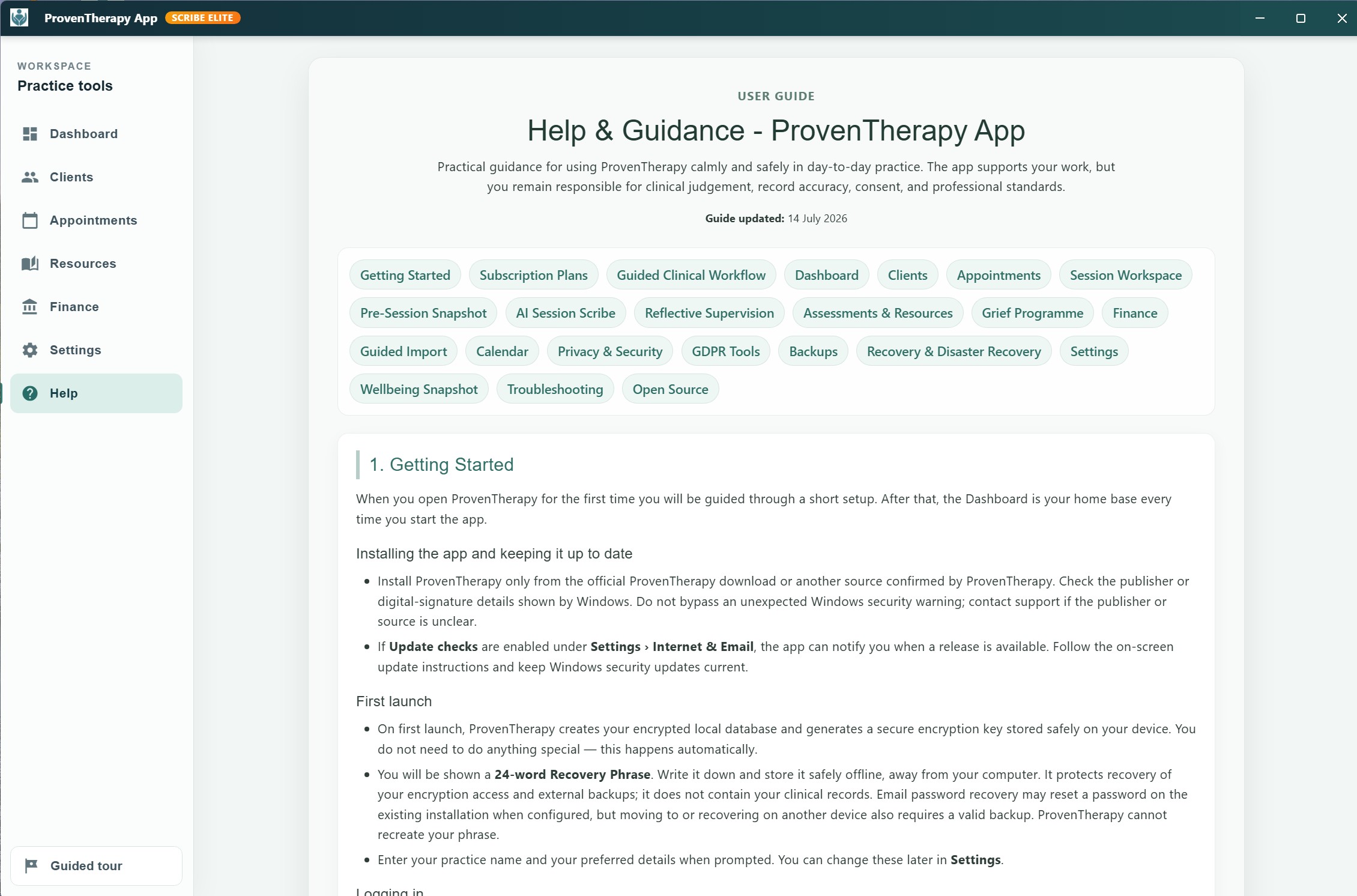
Tools that support your work. Clinical judgement stays with you.
Therapy does not end when the client leaves the room. ProvenTherapy helps therapists hold the thread between sessions — with tools designed for reflection, continuity, and the quiet work that happens between appointments.
Today's Rhythm
A gentle overview of today's schedule, outstanding notes, and active client workload — without pressure or performance metrics.
Pre-Session Snapshot
Before each session opens, a focused summary of the client's recent notes, goals, and last session — so the therapist can arrive prepared, not overwhelmed.
Shared Plan
A living document within the Session Workspace — therapist and client can orient around shared direction, agreed priorities, and current focus areas.
Reflective Supervision
25 structured supervision prompts across five clinical categories — countertransference, formulation, systemic thinking, solution focus, and ethical awareness. Scribe Elite
Session Closure Takeaway
A closing prompt that invites the therapist to record what they are carrying from the session — supporting reflective continuity before the next client arrives.
Continuity Prompts
Gentle flags when goals have not been reviewed recently, when assessments are overdue, or when a treatment plan review is approaching — keeping clinical continuity visible.
Core clinical and administrative tools for a thoughtful solo practice.
Structured clinical tools built into a calm, focused workflow — without unnecessary complexity.
Multiple note formats, one focused screen
Write session notes in free text, SOAP, or DAP format. Complete a structured Mental State Examination. Record a shared plan. Add reflections. Notes save automatically after a pause in typing; wait for Saved before closing, or select Save notes and plan. All within a single, distraction-free clinical workspace.
- ✓ Free text — unrestricted narrative notes
- ✓ SOAP — Subjective / Objective / Assessment / Plan
- ✓ DAP — Data / Assessment / Plan
- ✓ Structured Mental State Examination (MSE)
- ✓ Shared Plan with client
- ✓ Local Dictation and optional AI note polishing (Scribe Premium+)
Optional note polishing organises the draft into SOAP headings and a DAP view. DAP combines Subjective and Objective in Data, while Assessment and Plan remain separate. Switch formats to review the result; the views are retained when saved notes are reopened. Always check placement and clinical meaning. Compare with the retained pre-polish original and restore it if needed, including after saving and reopening.
Practice finances without the complexity
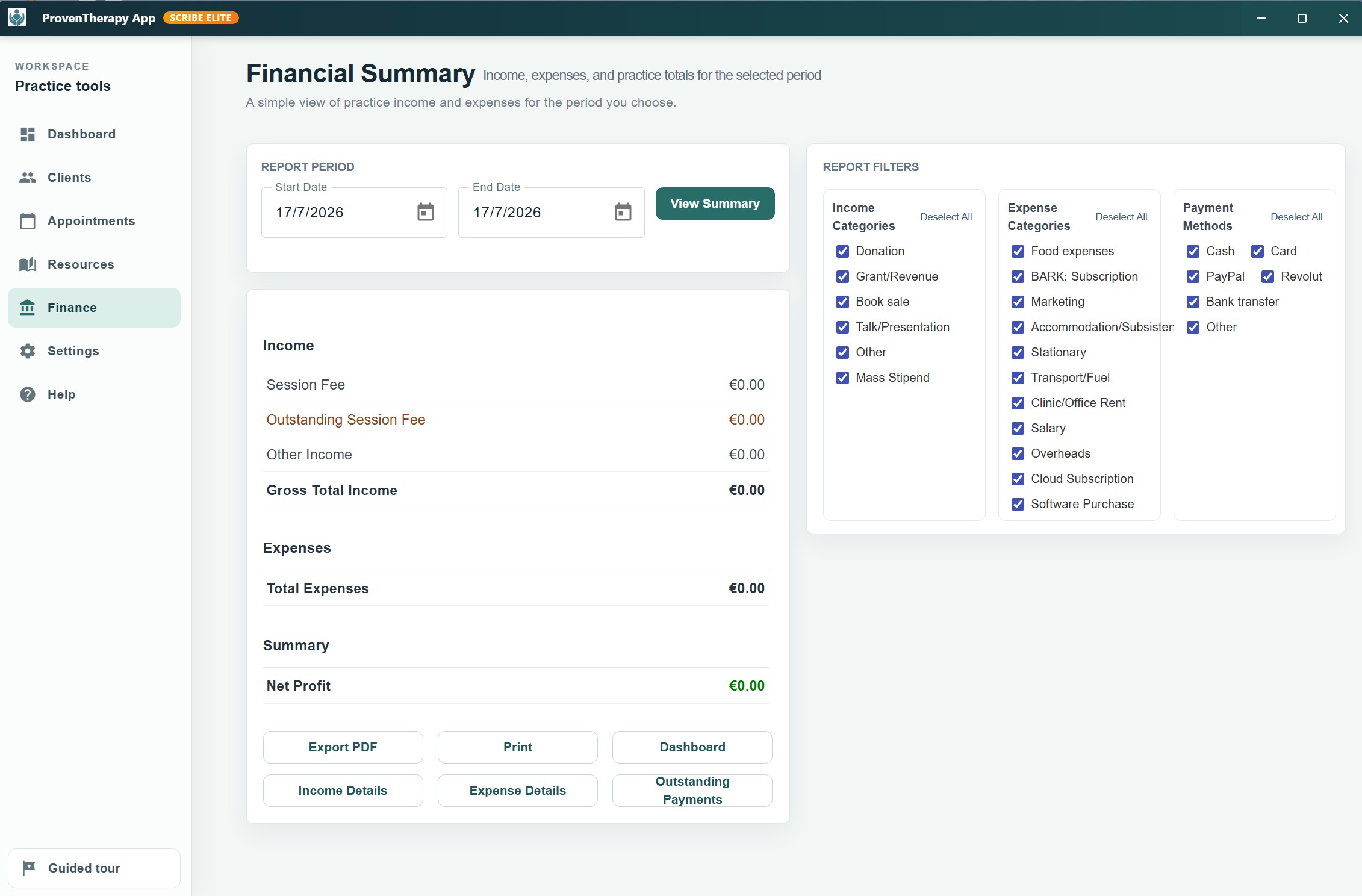
Practical income, expense, fee, payment, receipt and invoice tools for a solo practice. Use these practice summaries alongside your professional accounting, tax and payroll tools.
- ✓ Per-client fee tracking
- ✓ Receipt generation
- ✓ Income and expense records
- ✓ Year-end income and expense summary for review or export
- ✓ Payment status by appointment
18 included assessment and outcome tools
Standardised screening and outcome measures with automated scoring, progress tracking and clinical alerts. These tools support—but do not replace—professional assessment, clinical judgement or diagnosis.
Assessments can be completed in-session on the practitioner's device or sent using an optional external assessment workflow. In-session responses remain local. When external delivery is enabled, the assessment service and email provider process the information required to deliver and complete the assessment before the result is imported into the encrypted local record. External assessment use requires therapist configuration and recorded client consent. Results are imported when the app is open and online. Declined or no-longer-needed invitations can be closed with a recorded reason without deleting their history. Optional services show a setup checklist with direct links to settings or the relevant client consent choices; completing setup does not grant consent.
- PHQ-9 — Patient Health Questionnaire (Depression)
- GAD-7 — Generalised Anxiety Disorder Scale
- DASS-21 — Depression, Anxiety & Stress Scale
- CORE-10 — Clinical Outcomes in Routine Evaluation
- K10 — Kessler Psychological Distress Scale
- WHO-5 — WHO Well-Being Index
- PSS-10 — Perceived Stress Scale
- PHQ-15 — Somatic Symptom Scale
- RSES — Rosenberg Self-Esteem Scale
- GSES — General Self-Efficacy Scale
- SWLS — Satisfaction With Life Scale
- BRS — Brief Resilience Scale
- RAS — Relationship Assessment Scale
- CSI-4 — Couples Satisfaction Index
- Family APGAR — Family Functioning Screening
- ACE Questionnaire — Adverse Childhood Experiences
- PC-PTSD-5 — Primary Care PTSD Screen
- PCL-5 — PTSD Checklist (DSM-5)
- Select from 18 included assessment and outcome tools
- Complete in-session or send to client
- Auto-score with severity bands
- Track progress over time with charts
Compare the three annual plans
A local clinical workspace, with services chosen by you. Keep core records encrypted on your computer and work offline. Manage appointments directly and choose separate booking, video and payment services when needed. A client portal, self-booking, video calls, card processing and US insurance claim filing are not built in. Optional connected services send the information needed for their purpose, under your settings and applicable consent. Explore privacy and recovery.
Billed annually—no monthly subscription bills. Unlimited clients and appointments on every paid plan. Prices are in euro, plus applicable VAT. See current plan prices.
Plan comparison
| Feature | Standard Vault | Scribe Premium | Scribe Elite |
|---|---|---|---|
| Unlimited clients | ✓ | ✓ | ✓ |
| Unlimited appointments | ✓ | ✓ | ✓ |
| Client Hub and Intake | ✓ | ✓ | ✓ |
| Appointments and Timeline | ✓ | ✓ | ✓ |
| Free-text / SOAP / DAP Workspace | ✓ | ✓ | ✓ |
| Structured MSE | ✓ | ✓ | ✓ |
| 18 assessments | ✓ | ✓ | ✓ |
| Assessment sending | ✓ | ✓ | ✓ |
| Treatment Plans and Goals | ✓ | ✓ | ✓ |
| 29-resource library | ✓ | ✓ | ✓ |
| Finance | ✓ | ✓ | ✓ |
| Local encrypted database | ✓ | ✓ | ✓ |
| Manual backup and restore | ✓ | ✓ | ✓ |
| GDPR-supportive tools | ✓ | ✓ | ✓ |
| CalDAV calendar support | ✓ | ✓ | ✓ |
| On-device Dictation | — | ✓ | ✓ |
| AI note refinement | — | ✓ | ✓ |
| Resource emailing | — | ✓ | ✓ |
| Automatic daily backups | — | ✓ | ✓ |
| Configured external-path backup copy | — | ✓ | ✓ |
| Google Calendar | — | ✓ | ✓ |
| Outlook Calendar | — | ✓ | ✓ |
| Enhanced continuity | — | ✓ | ✓ |
| Pre-Session Snapshot | — | ✓ | ✓ |
| Reflective Supervision | — | — | ✓ |
| 30-Day Grief Programme | — | — | ✓ |
| Custom resources | — | — | ✓ |
| Advanced Clinical Intelligence | — | — | ✓ |
| Clinical correspondence email | — | — | ✓ |